

New to the Builder Program? Start with Builder Program. This page covers the fee layer specifically.
How It Works
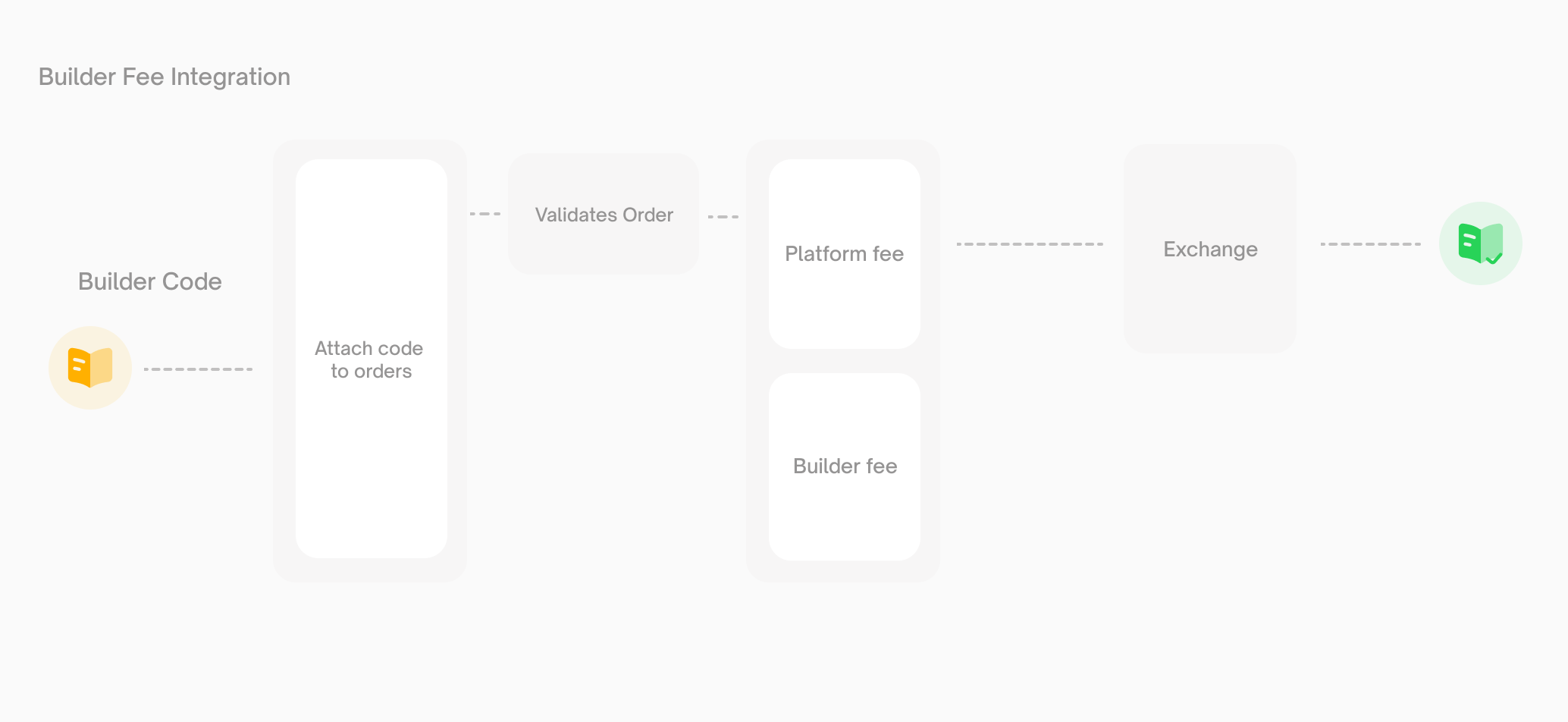
Builder fees never replace platform fees — they’re always additive.
Registration
Register for a builder code through your Polymarket account.1
Create a Builder Profile
Open polymarket.com → Settings →
Builders and set up your
builder profile.
2
Set Your Fee Rates
Configure two rates on your profile:
- Taker Fee Rate — charged on taker orders routed through your app
- Maker Fee Rate — charged on maker orders routed through your app
3
Copy Your Builder Code
Your profile is assigned a
bytes32 builder code. Attach it to every order
you submit.Fee Rate Limits
Rate Change Policy
Fee rate changes are gated so users can see them coming:- Cooldown. One rate change per 7 days.
- Advance notice. Changes take effect 3 days after being scheduled.
- One pending change at a time. You can’t queue multiple changes — wait for the current one to take effect (or cancel it) before scheduling another.
Fee Calculation
Platform Fees
Platform fees use a dynamic per-market formula:C is the trade size, p is the order price, and feeRate is a per-market parameter. Platform fees are currently taker-only and are not configurable by builders.
Builder Fees
Builder fees are a flat percentage of notional:Balance Checks
The account must have enough pUSD to cover the trade and all applicable platform and builder fees. For market buys, set an all-in spending limit so the order amount is adjusted for fees before signing.Onchain Attribution
Builder attribution is part of the signed order. It works across CTF and Polymarket Protocol V2. For the signing workflow, see Place a Limit Order.Signed Order Struct
builder field is a bytes32 matching your registered builder code.
Each settlement contract emits OrderFilled with the signed builder value. Index events from the CTF Exchange, Neg Risk CTF Exchange, and Polymarket Protocol V2 Exchange when reconciling attribution across both position systems.
Fee Processing and Payouts
When a user places an order with yourbuilderCode attached:
- The CLOB validates the order and the builder code.
- At match time, the Fees Service computes the platform and builder fees for each side.
- The trade settles through the exchange selected for the market, emitting
OrderFilledevents. - The Builders Service indexes those events, joins onchain attribution with your builder profile, and accrues your earned fees.