
Polymarket’s CLOB (Central Limit Order Book) is a hybrid-decentralized trading system — offchain order matching with onchain settlement via the Exchange contract (audited by Chainsecurity). All trading is non-custodial. Orders are EIP-712 signed messages, and matched trades settle atomically on Polygon. The operator cannot set prices or execute unauthorized trades — users can always cancel orders onchain independently. We recommend using the open-source SDK clients, which handle order signing, authentication, and submission:

TypeScript Client

npm install @polymarket/clob-client

Python Client

pip install py-clob-client

Rust Client

cargo add polymarket-client-sdk

You can also use the REST API directly, but you’ll need to manage EIP-712 order signing and HMAC authentication headers yourself. See REST API Headers below.

Authentication

The CLOB uses two levels of authentication:
LevelMethodPurpose
L1EIP-712 signature (private key)Create or derive API credentials
L2HMAC-SHA256 (API credentials)Place orders, cancel orders, query trades
You use your private key once to derive L2 credentials (API key, secret, passphrase), which authenticate all subsequent trading requests.
import { ClobClient } from "@polymarket/clob-client";
import { Wallet } from "ethers"; // v5.8.0

const signer = new Wallet(process.env.PRIVATE_KEY);

// Derive L2 API credentials
const tempClient = new ClobClient("https://clob.polymarket.com", 137, signer);
const apiCreds = await tempClient.createOrDeriveApiKey();

Signature Types

When initializing the trading client, you must specify your wallet’s signature type and funder address:
Wallet TypeIDWhen to UseFunder Address
EOA0Standalone wallet — you pay your own gas (POL for gas)Your EOA wallet address
POLY_PROXY1Polymarket account via Magic Link (email/Google login). Requires exported private key from Polymarket.comYour proxy wallet address
GNOSIS_SAFE2Polymarket account via browser wallet (MetaMask, Rabby) or embedded wallet (Privy, Turnkey). Most common typeYour proxy wallet address
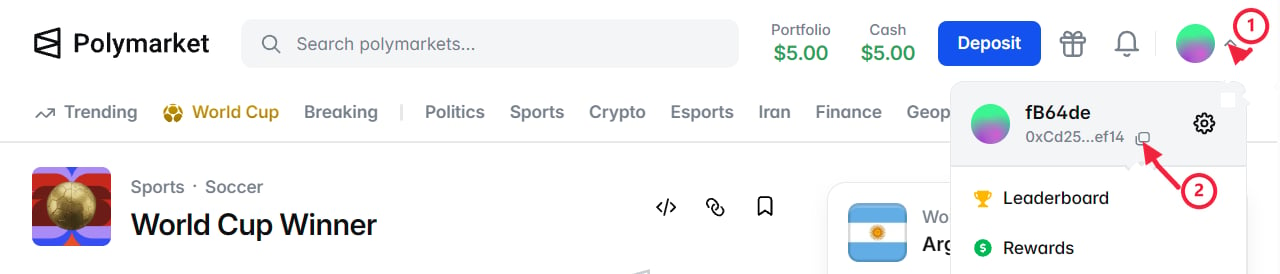
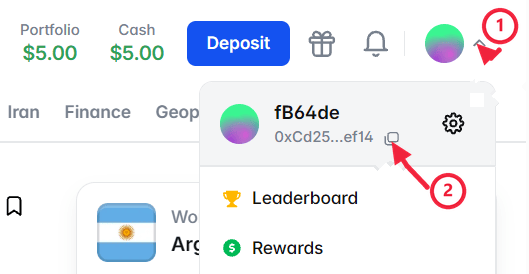
If you have a Polymarket.com account, your funds are in a proxy wallet visible in the profile dropdown. Use type 1 or 2. Type 0 is for standalone EOA wallets only.

Initialize the Trading Client

const client = new ClobClient(
  "https://clob.polymarket.com",
  137,
  signer,
  apiCreds,
  2, // GNOSIS_SAFE
  "0x...", // Your proxy wallet address
);

REST API Headers

If you’re using the REST API directly (without the SDK), you need to attach authentication headers to each request. L1 Headers — for creating or deriving API credentials:
HeaderDescription
POLY_ADDRESSYour wallet address
POLY_SIGNATUREEIP-712 signature
POLY_TIMESTAMPUnix timestamp
POLY_NONCERequest nonce
L2 Headers — for all trading operations (orders, cancellations, queries):
HeaderDescription
POLY_ADDRESSYour wallet address
POLY_SIGNATUREHMAC-SHA256 signature of the request
POLY_TIMESTAMPUnix timestamp
POLY_API_KEYYour API key
POLY_PASSPHRASEYour API passphrase
Even with L2 authentication, methods that create orders still require the user’s private key for EIP-712 order payload signing. L2 credentials authenticate the request, but the order itself must be signed by the key.

Client Methods

Public Methods

Market data, orderbooks, prices, and spreads — no auth required.

L1 Methods

Sign orders and derive API credentials with your private key.

L2 Methods

Place orders, cancel orders, query trades, and manage notifications.

Builder Methods

Track attributed trades and manage builder credentials.

What Is in This Section

Quickstart

Place your first order end-to-end

Orderbook

Reading the orderbook, prices, spreads, and midpoints

Orders

Order types, tick sizes, creating, cancelling, and querying orders

Fees

Fee structure, fee-enabled markets, and maker rebates

Gasless Transactions

Execute onchain operations without paying gas

CTF Tokens

Split, merge, and redeem outcome tokens

Bridge

Deposit and withdraw funds across chains